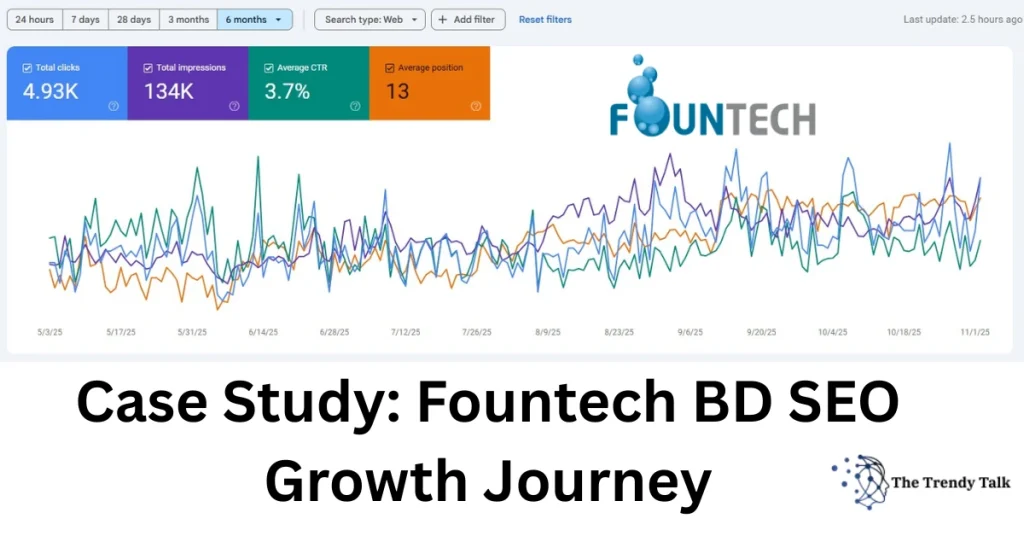
Managing SEO for a WordPress website is easier when you follow a clear, practical technical checklist. Whether you run a personal portfolio, a blog, or a business site, technical SEO ensures search engines can crawl, index, render, and rank your pages properly.
In this guide, I’ll explain the essential technical SEO tasks every WordPress site must follow—based on real-world experience working with 120+ global SEO clients.
What Is Technical SEO?
Technical SEO focuses on improving the infrastructure of your website so search engines can access your content without issues.
It includes:
- Crawlability
- Indexing
- Speed & Core Web Vitals
- Security (HTTPS)
- Sitemaps
- Structured data
- Mobile optimization
- Server configuration
Think of technical SEO as the “foundation” that supports your content, backlinks, and overall SEO strategy.
1. Verify Search Engine Visibility Settings
Before anything else:
WordPress Settings → Reading → Make sure “Discourage search engines from indexing this site” is unchecked.
Even accidentally keeping this enabled can block your entire site from Google.
2. Set Up Google Search Console & Analytics
Search Console helps you track:
- Indexing issues
- Sitemap status
- Coverage errors
- Site performance
- Page experience reports
Analytics helps you measure user behavior and traffic.
Must-submit URLs:
/sitemap_index.xml(Yoast sitemap)post-sitemap.xmlpage-sitemap.xml
3. Optimize Your Sitemap Structure
For WordPress websites using Yoast SEO:
Keep only these sitemaps:
- Post Sitemap
- Page Sitemap
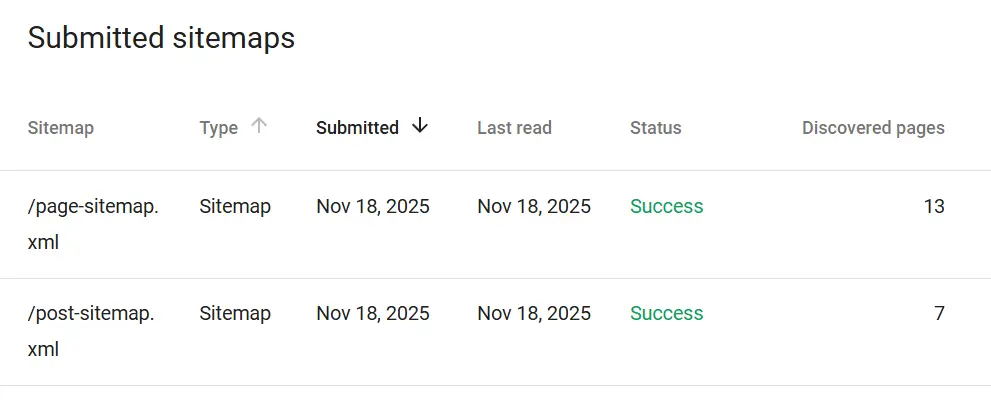
Disable:
- Author sitemap
- Category sitemap
- Tag sitemap
- Format sitemap
A clean sitemap = faster indexing + fewer errors.
4. Fix Crawlability Issues
Use Search Console → URL Inspection Tool to check:
- Is Google allowed to crawl the page?
- Is indexing allowed?
- Any blocked resources?
- Any
noindex, canonical, or header issues?
Make sure:
– No noindex tags
– No X-Robots-Tag: noindex in HTTP headers
– Proper robots.txt
A good robots.txt looks like:
User-agent: *
Disallow: /wp-admin/
Allow: /wp-admin/admin-ajax.php
Sitemap: https://www.thetrendytalk.com/sitemap_index.xml
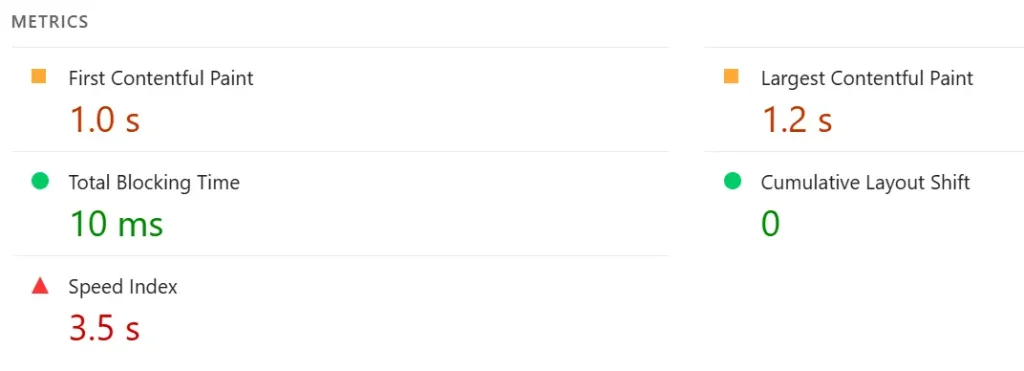
5. Improve Website Speed (Core Web Vitals Score)
Google ranks fast websites higher. You may use page speed insight.
Focus on:
LCP (Largest Contentful Paint)
Should be < 2.5 seconds
CLS (Cumulative Layout Shift)
Should be < 0.1
FID/INP (Interactivity)
Should be < 200 ms
Fixers:
- Use a lightweight WordPress theme (Astra, GeneratePress, Kadence)
- Compress images (WebP format)
- Use server caching (LiteSpeed, Cloudflare)
- Remove unused plugins
- Minify CSS/JS
- Use a CDN
6. Ensure Mobile-Friendly Design
Over 70% of Google traffic is mobile.
Check using:
Google Mobile-Friendly Test
Fix issues like:
- Text too small
- Touch elements too close
- Broken layout
- Slow mobile load speed
Learn more about Website Speed Optimization : Why Needed for Better SEO
7. Use HTTPS and Secure Your Site
Technical SEO requires security.
Must-have:
- SSL certificate (HTTPS)
- No “mixed content” warnings
- Firewall (Wordfence / Cloudflare)
8. Optimize URL Structure
Use clean, SEO-friendly URLs:
Example:
Good:https://www.thetrendytalk.com/technical-seo-checklist/
Avoid:https://www.thetrendytalk.com/?p=2893
Go to:
WordPress → Settings → Permalinks → Post name
9. Add Structured Data (Schema Markup)
Schema helps Google understand your content better.
Recommended for WordPress:
- Article schema
- Breadcrumb schema
- FAQ schema (for blog posts)
- Organization schema
- Person schema (for portfolio sites)
Plugins that help:
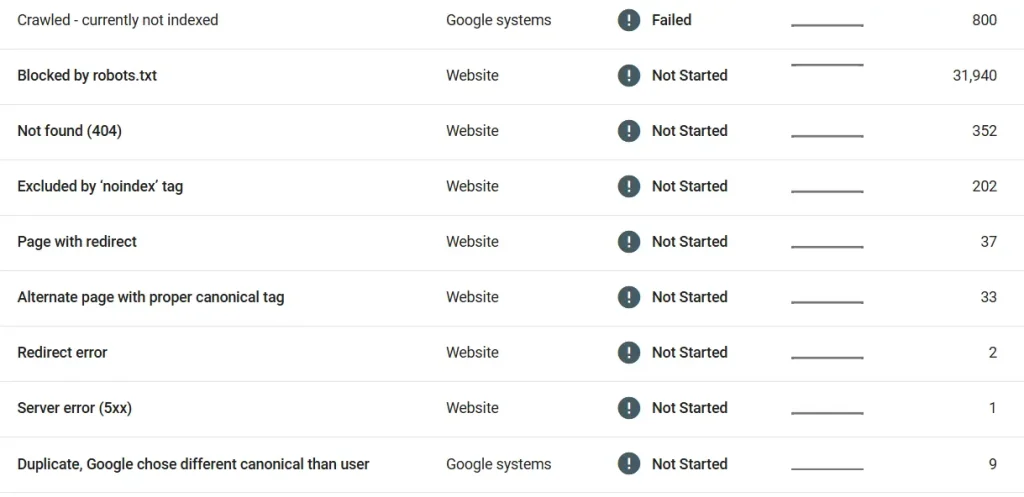
10. Fix Broken Links & Redirects
Broken links reduce authority and user experience.
Use tools:
- Ahrefs
- Screaming Frog
- Broken Link Checker
- Search Console crawl errors
11. Optimize Images for SEO
- Use descriptive file names
- Use alt tags
- Compress images
- Convert to WebP
- Use lazy loading
12. Remove Unnecessary Plugins
More plugins = slower site + more conflicts.
Use only essential plugins:
- SEO plugin (Yoast/RankMath)
- Cache plugin
- Security plugin
- Backup plugin
- Analytics plugin
13. Check Server & Hosting Quality
Your hosting plays a huge role in technical SEO.
Best choices:
- LiteSpeed hosting
- Cloud-based VPS
- Tetrahost, Hostinger, Namecheap (budget options)
Ensure:
- High uptime
- Fast server response time
- PHP 8.1 or higher
Final Technical SEO Checklist (Quick Snapshot)
| Task | Status |
|---|---|
| Crawlability | ✔ |
| Indexing setup | ✔ |
| Sitemaps | ✔ |
| Robots.txt | ✔ |
| Speed optimization | ✔ |
| Mobile-friendly | ✔ |
| Structured data | ✔ |
| SSL & security | ✔ |
| URL structure | ✔ |
| Broken links | ✔ |
| Hosting optimization | ✔ |
This checklist ensures your WordPress website is technically perfect for Google.
Final Thoughts
Technical SEO may look complicated, but once your foundation is strong, your ranking, traffic, and indexing speed improve automatically. For WordPress websites, even small technical errors—like incorrect sitemap indexing or unwanted noindex tags—can cause major ranking problems.
Use this checklist regularly to keep your website performing at its best.
FAQs for Technical Seo Checklist
1. Why is technical SEO important for WordPress websites?
It ensures Google can crawl, index, and understand your website properly, improving ranking and visibility.
2. How do I know if my website has technical SEO issues?
Use Google Search Console → Coverage, URL Inspection, and Core Web Vitals reports.
3. Does a sitemap help improve SEO?
Yes, a clean sitemap helps Google discover and index your pages faster.
4. Why is my WordPress website not indexing on Google?
Common reasons include noindex tags, blocked crawler access, poor hosting, or duplicate content.
5. How often should I perform a technical SEO audit?
At least once every 30–45 days to catch new issues early.
Author Bio
Md Alomgir Hossain (Alomgir Rifat)
SEO Specialist • Digital Marketing Expert • WordPress Consultant
With 7+ years of SEO experience and 120+ clients worldwide, I help businesses optimize their online presence with data-driven strategies and clean technical SEO.
Need help fixing technical SEO issues? Hire me!